
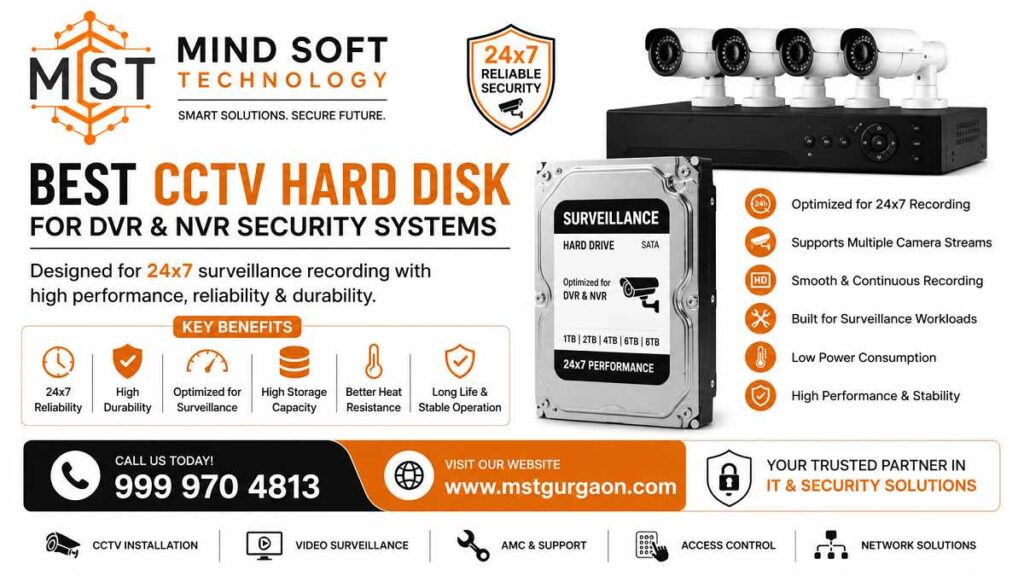
Choosing the right CCTV Hard Disk for DVR & NVR can mean the difference between secure footage and a blank screen when you need it most. Standard desktop hard drives fail fast in continuous recording configurations. Surveillance-grade HDDs such as WD Purple, Seagate SkyHawk, and Toshiba S300 can handle continuous camera write activity without a drop in frame rate. This guide can help you pick the right drive for your shop, home, or office.
Introduction to CCTV Hard Disks
What Is a CCTV Surveillance Hard Disk?
If you are setting up a security system at home, office, or shop, choose the right CCTV hard disk. For your DVR or NVR, this is one of the most important decisions you will make. A surveillance hard disk is a storage drive made for security systems.
It writes video from security cameras nonstop, 24/7, without failing. Unlike regular desktop drives, these HDDs use special firmware, vibration control, and heat management.
This helps keep your footage safe. At Mind Soft Technology, we help you choose the right drive for your setup. Call us now at 999 970 4813 for the best price in India.
Why DVR & NVR Systems Need Special HDDs
DVRs, NVRs, and NVR systems operate in distinct settings. They record video about 90 percent of the time. They play back the footage for the remaining 10 percent. Desktop drives are not made to handle this constant write load. Surveillance-grade HDDs can handle multiple streams of camera footage concurrently. They are designed to handle more intensive annual demands than PC drives. They are, therefore, a solid option for security equipment.
Difference Between Normal HDD and Surveillance HDD
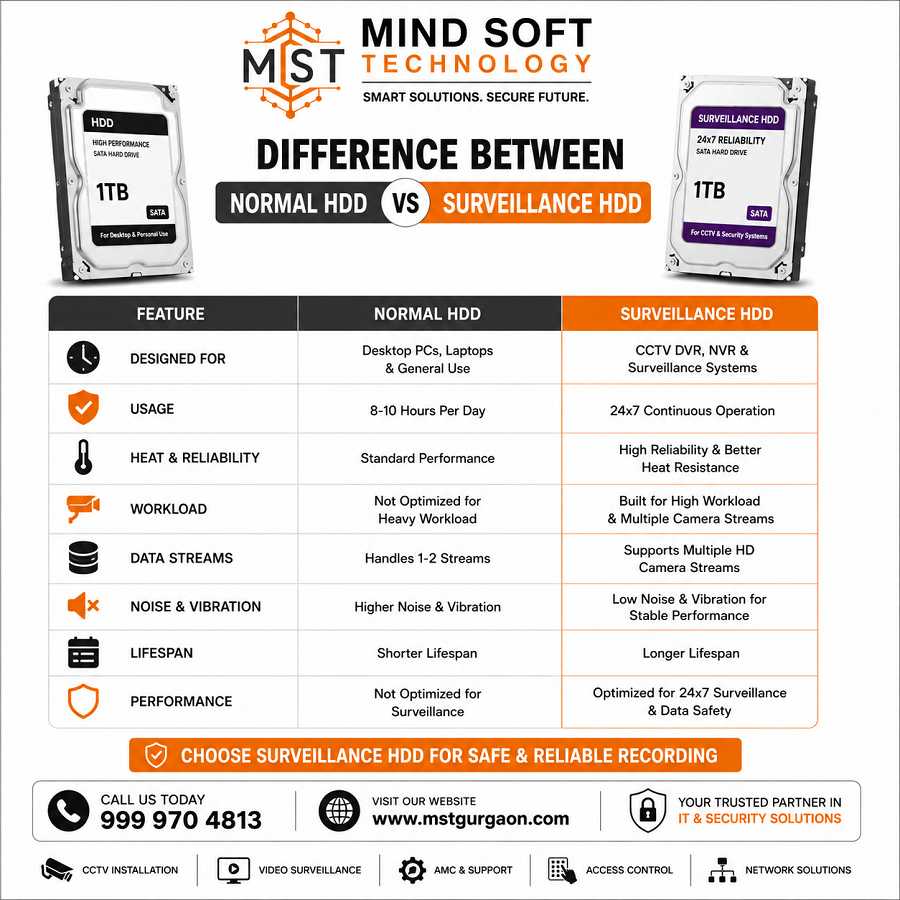
Desktop Hard Drive vs CCTV Hard Drive
A typical desktop drive is built for general computing tasks.
It can download files, run programs, and handle large writes.
A surveillance HDD is built for nonstop, heavy video recording.
Drives like WD Purple use AllFrame 4K to reduce frame loss.
This also helps improve video playback quality.
Seagate SkyHawk uses ImagePerfect firmware for 24/7 surveillance use.
Why Regular PC HDDs Fail in CCTV Systems
Desktop hard drives are not rated for the kind of punishment a CCTV system delivers. Surveillance HDDs have a workload rating of up to 180 TB per year. That is about three times the capacity of a standard desktop drive. When a regular PC HDD is used in a DVR, it frequently overheats, drops frames, and fails within months. Surveillance drives also include tarnish-resistant parts. These parts protect against harsh conditions and improve reliability in real-world field use.
Important Features to Check Before Buying
24×7 Recording Support
The most critical feature is confirmed 24/7 operation. Every true surveillance HDD, like WD Purple, Seagate SkyHawk, or Toshiba S300, is built for 24/7 recording. Never install a drive that does not explicitly state 24/7 support.
Storage Capacity (1TB, 2TB, 4TB, 8TB & More)
Surveillance HDDs are available in capacities from 1TB to 24TB. If you are looking to install a home system with 4 cameras, 1 TB to 2 TB is an ideal starting point. Businesses and offices with 8-16 cameras should consider 4TB-8TB. Large commercial installations may require 10 TB or more.
RPM Speed and Cache Memory
The Toshiba S300 Pro and Seagate SkyHawk run at 7,200 RPM. They provide up to 512 MB of memory. This allows for faster playback and smoother video scrubbing. The WD Purple spins at 5,400 RPM. It’s quieter and more reliable when recording. It might be slow during review. If you have a system with a lot of footage to review, the more powerful RPM models offer a significant benefit.
Heat Resistance & Durability
In India’s humid climate, managing heat is crucial. A high-quality surveillance HDD can run at 42-45 °C without losing performance. Utilizing a UPS and adequate DVR ventilation will extend HDD life beyond the typical 3 to 5 years and allow it to reach its maximum potential.
Multi-Camera Support
WD Purple, Seagate SkyHawk, and Toshiba S300 are major surveillance drives. They support up to 64 cameras simultaneously. Rotational Vibration (RV) sensors in higher-capacity models provide stable performance in multi-drive NVR setups.
Best CCTV Hard Disk Brands in India
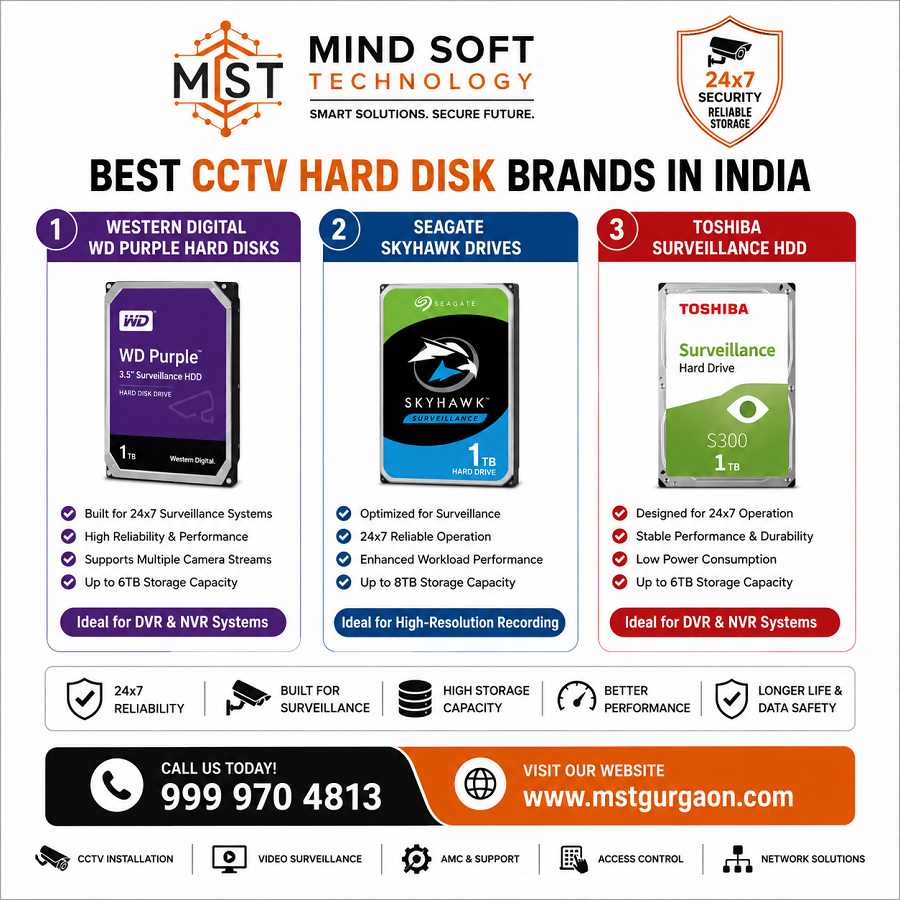
Western Digital WD Purple Hard Disks
WD Purple is a popular surveillance HDD in India.
It is known for AllFrame technology.
It works well with CP Plus and Hikvision DVR brands.
It also comes with a solid 3-year warranty. It supports up to 64 cameras with a workload rating of 180 TB/year.
Seagate SkyHawk Drives
Seagate SkyHawk is the closest competitor to WD Purple. It features ImagePerfect firmware that minimizes dropped frames and supports AI-enabled surveillance cameras. The SkyHawk also has a 3-year warranty. It often costs a bit less at higher capacities. This makes it a great value.
Toshiba S300 Surveillance HDD
The Toshiba S300 is a solid budget-friendly choice rated for 24/7 operation and up to 64 cameras. The standard S300 runs at 5,400 RPM.
The S300 Pro runs at 7,200 RPM.
It has a 512 MB cache and a 5-year warranty.
It is ideal for heavy-duty AI surveillance workloads.
Recommended CCTV Hard Disks for DVR & NVR
Best 1TB Hard Disk for Home CCTV
For a home system with 2–4 1080p cameras, the WD Purple 1TB or the Seagate SkyHawk 1TB is the go-to choice. Four 4K cameras can generate 50–80 GB per day, giving you 12–15 days of retention on a 1TB drive. Contact Mind Soft Technology at 999 970 4813 for the best 1TB price in your city.
Best 2TB Hard Disk for Shops & Offices
A 4-camera 1080p system records 24/7 using H.265 compression on a 2TB drive.
It gives you about 30 days of footage. This is the sweet spot for most shops and small offices. The WD Purple 2TB is priced at around ₹9,599, and the Seagate SkyHawk 2TB at approximately ₹9,600 in India.
Best 4TB & 8TB HDD for Large Security Systems
For 8-camera systems, a 4TB drive covers approximately 30 days of 1080p H.265 footage. For 16-camera setups or 4K recording, move to 8TB. WD Purple 8TB is available at approximately ₹24,999 in India.
How Much Storage Do You Need?
Storage Calculation Based on Camera Quantity
The general rule: more cameras means more storage. An 8-camera system needs 4 TB for 30 days; a 16-camera system needs 4–6 TB for the same period. For 4K cameras, double these figures.
Recording Days vs Storage Capacity
| Cameras | Resolution | Storage | Retention |
|---|---|---|---|
| 4 | 1080p H.265 | 2TB | ~30 Days |
| 8 | 1080p H.265 | 4TB | ~30 Days |
| 16 | 1080p H.265 | 6TB | ~30 Days |
| 8 | 4K | 8TB | ~30 Days |
1080P vs 4K CCTV Storage Requirement
Recording in 4K roughly doubles your storage consumption compared to 1080p. If your system uses 4K cameras, choose a drive with at least 4 TB for 4 cameras. Choose an 8 TB drive for 8 cameras.
Best Hard Disk for Home CCTV Systems
Ideal HDD for 4-Channel DVR
For a standard 4-channel home DVR, a 2TB WD Purple or Seagate SkyHawk is the ideal recommendation. It provides ample retention without overspending on capacity you may not need.
Best Option for Small Businesses
Small businesses with 8–12 cameras recording during business hours do well with a 4TB Toshiba S300. It costs about ₹11,799 and offers reliable performance at a budget-friendly price.
Best Hard Disk for Commercial Security Systems
HDD for 16-Channel & 32-Channel NVR
For 16-channel or 32-channel NVR installs, we recommend at least a 6TB to 8TB surveillance HDD. WD Purple and Seagate SkyHawk work with major NVR brands. They are validated for Hikvision and Dahua.
RAID Storage for Large Surveillance Networks
Large surveillance networks, such as warehouses, factories, and malls, should use dual-drive NVRs or RAID. Drives with RV sensors (available in 4TB+ models) keep steady performance in multi-drive setups. They are the best choice for enterprise-grade installations.
Common Mistakes to Avoid
Using Desktop HDD in CCTV Systems
This is the single most common and costly mistake. A desktop HDD in a DVR may work briefly before failing. It can fail silently, so you may lose footage without knowing. Always insist on a surveillance-rated drive.
Ignoring Storage Compatibility
Not every HDD is compatible with every DVR or NVR brand. Always verify compatibility before purchasing. WD Purple and Seagate SkyHawk work with many CP Plus, Hikvision, Dahua, and TP-Link VIGI systems in India.
CCTV Hard Disk Price in India
Latest Price Range of Surveillance HDDs
As of early 2026, surveillance HDD prices in India are:
- 1TB: ₹6,500–₹7,900
- 2TB: ₹8,999–₹9,600
- 4TB: ₹9,500–₹10,300
- 8TB: ₹17,199–₹24,999
Budget vs Premium CCTV Hard Disks
For those on a budget, the Toshiba S300 costs 10-15% less than WD Purple and Seagate SkyHawk with similar capacities. For solid performance in commercial settings, WD Purple and Seagate SkyHawk are reliable options. They offer 3-year warranties and demonstrated results for Indian security sites.
Conclusion
Final Recommendation for DVR & NVR Users
Choosing the right CCTV Hard Disk for DVR & NVR is not an area where cutting corners pays off. Surveillance HDDs, like WD Purple, Seagate SkyHawk, and Toshiba S300, are built for 24/7 security system recording. For home users, a 2TB drive is the smart starting point. Shops and offices should go with 4TB, and commercial installations need 8TB or more.
Do not settle for a desktop drive in your DVR. It will fail you when you need it most.
Call Mind Soft Technology today at 999 970 4813. Our experts will match the right surveillance HDD to your camera setup and budget. We offer the best prices, genuine products, and post-sale support you can count on. Order now and secure your footage the right way.
Mind Soft Technology | Call: 999 970 4813 | Best Price on Surveillance HDDs in India
Which Hard Disk Is Best for CCTV?
Use a surveillance-grade HDD (WD Purple, Seagate SkyHawk, or Toshiba S300). They are built for 24/7 recording. They handle multiple camera streams. Their firmware helps reduce dropped frames.
Is SSD Better Than HDD for NVR?
Not usually. SSDs are fast but cost more per TB. They also have limits on long, continuous writing. Surveillance HDDs cost less and handle nonstop writes well. They are also better for long-term storage. SSDs work well as a cache. They also fit write-heavy edge devices.
How Long Does a CCTV Hard Disk Last?
Typically, 3–5 years with continuous use. High-quality models and good cooling, or a UPS, can extend the life to 5 years. Actual lifespan depends on workload, temperature, vibration, and drive model.
Which Is Better: WD Purple or Seagate SkyHawk?
Both are excellent. WD Purple uses AllFrame tech and works with many systems.
SkyHawk uses ImagePerfect firmware and often offers better value at higher capacities. Choose based on price, warranty, and compatibility with your DVR/NVR.
What Capacity Do I Need for My CCTV System?
Depends on camera count, resolution, frame rate, compression, and retention days.
General guide: homes with 2–4 cameras need 1–2TB.
Small businesses with 8–16 cameras need 4–8TB.
Large sites often require 10 TB or more.
Use retention calculators for a more exact estimate.
Or ask your installer for an exact estimate.