
Maintaining CCTV systems in commercial offices and buildings keeps footage clear, recordings safe, and security reliable during incidents. Ignoring routine checks can lead to blind spots, system failures and compromised coverage. This guide gives you five practical checks that any facility manager can follow. If you want a team to handle it, choose Mind Soft Technology.
Mind Soft Technology serves Gurgaon, Manesar, Sohna, Noida, Ghaziabad, and NCR Delhi. We offer the best price.
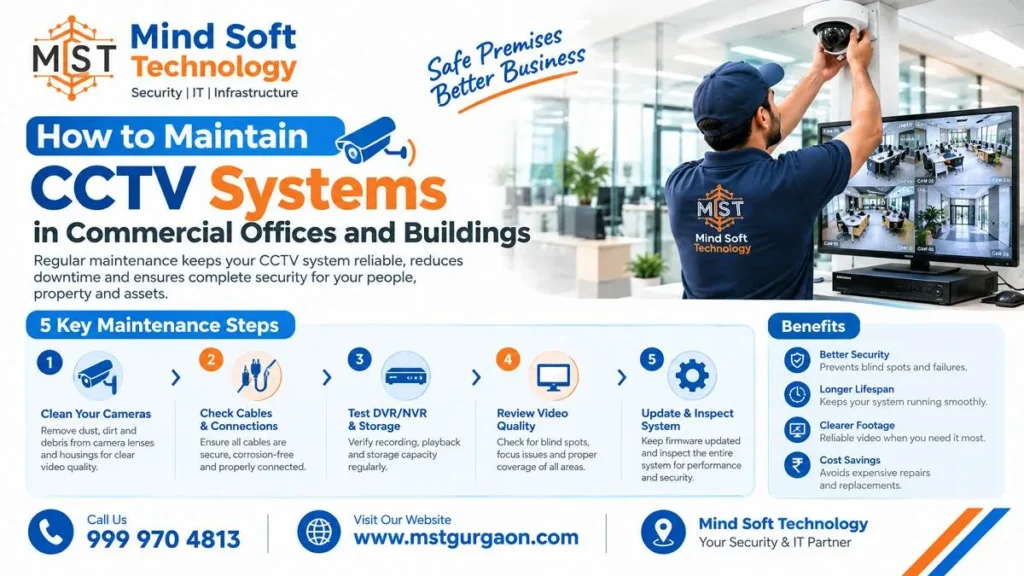
Inspect CCTV Cameras and Video Quality
First, look at what the camera sees. Dirty lenses can cause a number of problems. Dust or spider webs can blur the image or actually block the camera’s field of view. There can be smudges from fingerprints on indoor lobby or reception cameras.
A safe cleaning routine:
- Power down the camera first to help prevent damage.
- Use a microfiber cloth along with approved lens cleaner. Do not use solvents and abrasive materials.
- Check the housing and mounting points for physical damage or tampering.
- Confirm focus and sharpness: Check that each camera works and takes clear images.
According to one reference, cameras should be cleaned at least quarterly. Another says to clean them at least annually. Outdoor and high-traffic cameras should be cleaned more often. Check camera angles for blind spots.
Check DVR/NVR Recording and Storage
A camera is only useful if it records. One security source warns that many users do not review footage for months. Then they find the system did not record, or the hard drive failed. The same source recommends a random playback check once a week or every two weeks.
Your recorder checklist:
- Playback: test playback from different days and times, and confirm footage can be exported.
- Hard drive health and space: check drive status and capacity. A maintenance checklist also lists checking drive S.M.A.R.T. status, RAID array integrity and archived-footage playback.
- Right drives: use surveillance-rated drives, not desktop ones. The same source says desktop drives may last 6 to 12 months. It compares that to about 5 to 10 years for surveillance drives.
- Gaps in footage: verify that storage has enough free capacity and the recording schedule is set correctly.
Check CCTV Network, Power Supply and Remote Access
Failures are often caused by cables and power. Check visible cables for fraying, rodent chewing and stress points. Check the connections to the DVR/NVR for moisture exposure and corrosion. Test the voltage levels and confirm the UPS and backup power work. Another checklist suggests you simulate a power outage to confirm backups switch on properly.
If a camera goes offline, always check the camera’s PoE connection and the PoE switch’s connection as well. In case of a problem, you may try another port on your PoE switch. Check the recorder’s local network and the recorder’s power if the entire system goes offline.
For remote viewing:
- Works in the office but not outside? Check port forwarding from your router’s firewall.
- App fails? Test your internet connection and validate your cloud logins.
- Security: The attacker will try to exploit the presence of old firmware or default passwords on cameras. Check and update credentials and network isolation when maintaining cameras.
Test CCTV Night Vision and Access Control Integration
Footage recorded at night is important to consider, since many offices are often empty then. One maintenance schedule suggests a monthly test of night vision. This will help confirm that all IR LEDs light up. Dust and spider webs can also reflect infrared light and spoil night images.
Then test detection and alerts. Verify that alerts and notifications are sent correctly. Test integration with alarms or access control systems, if needed. Also check that motion detection zones are set correctly.
Integration is worth testing because it adds value. Linking CCTV with card readers or biometric points helps track who enters or leaves. It also provides video evidence for each access event. The trade-off is that integration needs more ports and credentials.
Also, poor alert thresholds can flood your system with door-forced alerts. A good test is to trigger an alarm and confirm the system receives it with the associated video.
Create a CCTV Preventive Maintenance Schedule
A written schedule keeps maintenance from becoming nobody’s job. A preventive programme helps you find problems early, before they cause failures, security gaps, or costly repairs. Here is a simple plan built from the sources above:
| Task | Suggested frequency |
|---|---|
| Camera inspection | Monthly |
| Recording playback test | Monthly (weekly spot checks) |
| Cable inspection and power testing | Quarterly |
| Lens cleaning | Quarterly |
| Firmware and credential review | At least annually |
Firmware deserves a place on this list. Major updates to firmware may resolve security concerns and boost performance. A qualified technician should install these. One source suggests creating a system backup before doing a major firmware update. The source varies on when to do a test. Some say do a test once a month, and others say once every 6 to 12 months. To create a maintenance log, you should record each test.
Frequently Asked Questions – Maintain CCTV Systems in Commercial Offices and Buildings
1. How often should CCTV systems in commercial offices be maintained?
A simple plan includes a monthly camera inspection. It also includes quarterly cable and power checks. Run a monthly recording playback test. Keep a written schedule and record each check.
2. How often should I check that my DVR/NVR is recording?
Play back random footage once a week or every two weeks. Also check hard drive health, free storage space, and the recording schedule. This helps you avoid finding a gap after an incident.
3. How often should CCTV camera lenses be cleaned in an office building?
Most guides say at least quarterly. One suggests at least twice a year, so use the shorter gap for outdoor or high-traffic cameras. Power the camera down and use a microfiber cloth with approved lens cleaner.
4. Why do CCTV firmware updates matter?
The manufacturer provides updates to fix security bugs and improve performance. Outdated firmware and default passwords are a risk for network-connected cameras. Have a qualified technician apply updates, and back up the system before major ones.
5. What should I do if CCTV remote viewing stops working?
Check internet stability and make sure your login details are current. If it works inside the office but not outside, check the router’s firewall and port forwarding. If a camera is offline, check the PoE connection at both ends.
Conclusion
CCTV equipment maintenance in offices and buildings should follow these five steps. Clean and ensure that the cameras are clear. Ensure that the recordings have been made. Ensure that there is good networking and a reliable power supply. Ensure night vision and integration. Maintain a written schedule. Small, regular maintenance costs far less than fixing a failure after an incident.
Get Professional CCTV Maintenance Services for Commercial Buildings
Short on time or technical staff? Mind Soft Technology provides CCTV maintenance, repairs, and installation support for offices and commercial buildings. We offer these services at the best price. Call us, share your site details, and we will arrange a visit that suits your working hours.
📞 Call Now for Best Price & Installation: 9999704813
📍 Service Areas: Gurgaon, Manesar, Sohna, Noida, Ghaziabad, NCR Delhi