
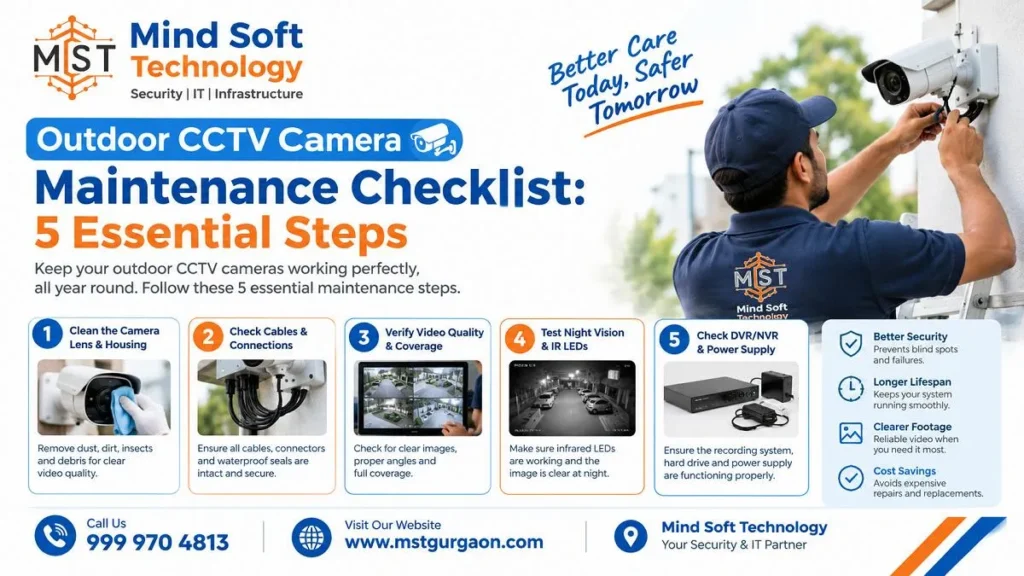
Outdoor CCTV camera maintenance is a simple way to ensure clear footage when you need it. Outdoor cameras face dust, rain, and insects every day. A dirty lens or loose cable can leave you without usable evidence. This checklist covers five easy steps. If you would rather not climb a ladder, Mind Soft Technology can do it for you across Gurgaon, Manesar, Sohna, Noida, Ghaziabad and NCR Delhi.
Clean Outdoor CCTV Camera Lenses and Housings
Start with the lens. If the lens is blocked in any way, the camera can’t see. Even a light dusting of dust or dirt on the dome can reflect the camera’s infrared light into the sensor. Outdoors, birds and rodents may nest in housings, and spiders often build webs on the faceplate.
Follow these simple steps:
- Switch the camera off first, as one manufacturer’s guide advises.
- Blow off loose dust with compressed air before wiping, to avoid scratching the lens.
- Wipe gently with a microfiber cloth. Use a small amount of lens cleaning solution. Do not let the lens cleaning solution make contact with the lens.
- Avoid harsh chemicals, abrasive materials and paper towels.
- Clean the inside and outside of the dome and skip rainy, snowy or windy days.
How often should I clean outdoor cameras? One security provider suggests cleaning outdoor lenses every 3-4 months. They recommend shorter intervals in dusty, wet and high-pollen areas. Another source suggests cleaning outdoor cameras each month, so use a shorter gap if your site gets dirty fast.
Inspect CCTV Camera Wiring and Power Supply
While you are up there, check the cables. Look for wear, damage, or exposure. Make sure connectors are firmly plugged in and free of corrosion. Connectors and cable entry points are the two main places where loose wiring problems happen. Coaxial connectors should also be insulated.
Then check the power side:
- Confirm that every camera and the recorder are getting power, and check any backup system or UPS.
- Check again after a storm, because power loss can leave the system useless until it is fixed.
- Use a voltmeter to confirm cameras get their recommended power. It is cheaper to replace a power supply than to buy a new camera.
- Simulate a power cut to confirm backup systems switch on correctly.
- Reset the time and date if a brief outage has wiped them.
One maintenance guide suggests monthly camera inspection and quarterly cable and power supply testing.
Test CCTV Night Vision and Video Quality
Many security incidents happen after dark, so night footage matters. Infrared cameras often switch to black-and-white at night. Test the camera during the day and at night. This helps confirm the image is clear. It also confirms the whole area is covered.
If night images look poor, check these causes first:
- Dirt on the lens or dome: Dust, spider webs, and water spots reflect IR light and can cause “ghosting”.
- Placement: Installing a camera too close to a wall or light can cause glare at night. This glare can distort the image.
- Hardware faults: A night image can be caused by a dirty lens, cable issues, light reflecting into the sensor, or a weak image chip.
At the same time, check focus, detection zones and lighting coverage. Test motion detection settings and confirm that alerts are accurate. Also trim any bushes, vines or trees that block the view.
Protect Outdoor CCTV Cameras from Weather
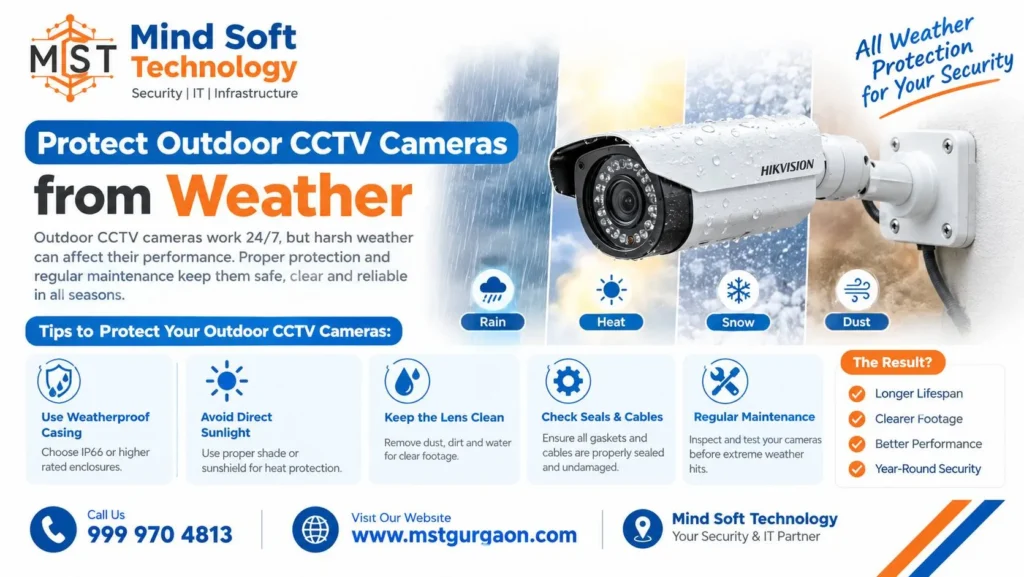
Check the camera’s IP rating first. For an outdoor camera, look for at least IP65, which protects against dust and rain. Some brands set the bar higher; for example, IP66.
Then inspect the weather protection:
- Seals and gaskets: rubber, cork or plastic seals must be clean and free of cracks. Replace any seal that is cracked or perished.
- Mounting threads: If threads are not gasketed or sealed with Teflon tape, even a tiny gap can let rainwater into the housing.
- Cable entry points: Use the weatherproof connector cover provided, or use a junction box.
- Mounting position: Aim the camera so seams and cable entry points are not in the path of water. For example, ledges under eaves protect seals from excess water.
- Rust or corrosion: Check connectors and mounting screws. Tighten anything loose.
Watch for fogging. Foggy or hazy patches can mean condensation inside the housing. This often means the seal is likely damaged. One guide suggests inspecting outdoor cameras at least twice a year.
Check CCTV Recording, Storage and Remote Monitoring
A CCTV camera is only useful if it records. Many users do not review footage for months. Then they find the system stopped recording. Or the hard drive failed long ago. The same source recommends a random playback check once a week or every two weeks.
Run through this list:
- Hard drive health and free space: Overflowing storage may cause system failure and loss of data.
- Drive type: Use surveillance-rated drives. A desktop drive in a DVR or NVR may last 6 to 12 months. A surveillance drive may last about 5 to 10 years.
- Playback and export: You can easily review recorded footage. You can export recorded footage.
- Remote access: Remote viewing allows you to watch your nanny cam feeds from anywhere using your phone or computer.
- Alerts and firmware: Verify that notifications arrive. Keep cameras and recorders on the latest stable firmware.
Frequently Asked Questions – Outdoor CCTV Camera Maintenance Checklist
1. How often should I clean outdoor CCTV camera lenses?
Most sources recommend cleaning every 3-4 months. Clean more often if your site is dusty, wet or high in pollen. One source suggests monthly cleaning for outdoor cameras.
2. What is the safest way to clean a CCTV camera lens?
Switch off the camera. Blow away loose dust with compressed air. Then wipe gently with a microfiber cloth and a little lens cleaner. Avoid harsh chemicals, abrasive materials and paper towels.
3. What IP rating should an outdoor CCTV camera have?
Look for at least IP65, which protects against dust and rain. Some brands recommend IP66 or higher. Always check the rating in the camera’s specifications.
4. Why does my CCTV camera look foggy or blurry at night?
Common causes are a dirty lens or dome, spider webs, water spots, or a camera placed too close to a wall or light. Foggy patches inside the housing can also mean condensation from a damaged seal.
5. How can I check that my CCTV system is actually recording?
Play back random footage once a week or every two weeks. Also check your hard drive health, free storage space, and phone remote access. This helps you avoid finding a problem after an incident.
Conclusion
There are five good habits related to Outdoor CCTV Camera Maintenance. Clean the camera lens. Inspect the power and wiring. Test night vision. Protect the camera from bad weather. Check remote access and recording. Perform these habits on a regular basis. Document what you find. Fix small problems before they result in missing footage.
Get Professional CCTV Maintenance Services
Don’t have time to check every camera? Mind Soft Technology provides CCTV maintenance, repair, and installation support at a great price. Call us, tell us about your site, and we will set a visit date that suits you.
📞 Call Now for Best Price & Installation: 9999704813
📍 Service Areas: Gurgaon, Manesar, Sohna, Noida, Ghaziabad, NCR Delhi